Docs / Build / Controller
2.1 Controller
This guide walks through creating a new Controller, implementing handlers, and configuring routes. We’ll cover how to build endpoints for both REST and GraphQL.
REST
First, we’ll walk through setting up a typical REST-compatible web service that accepts client requests, and returns JSON.
Create a Controller
Fabrix includes generators for common templates, such as Controllers. To create a Controller named FirstController, open up your console and type the following command:
fab controller FirstController
Enter a description when prompted. The console output will look like this:
? Controller Description handles hello world requests
   create api/controllers/FirstController.js
   create test/integration/controllers/FirstController.test.js
   create api/controllers/index.js
The generator will create/update the following files:
api/controllers/index.js
Each directory in a Fabrix application contains a manifest of the modules contained therein. Fabrix does not assume any particular directory structure, so you may separate these files into other folders–or other modules–if you wish, by updating the manifest. This is discussed further in Extend: Re-usable Services. The generators will update these automatically, and you usually shouldn’t need to be concerned with them.
Node.js
exports.FirstController = require('./FirstController').FirstController
es6 Example
export { FirstController } from ('./FirstController')
The rest of the provided examples will be provided in es6.
api/controllers/FirstController.ts
A stub for the FirstController class.
// api/controllers/FirstController.ts

/**
 * @module FirstController
 * @description handles hello world requests.
 */
export class FirstController extends Controller {

}
test/integration/controllers/FirstController.test.js
A stub for testing our Controller.
const assert = require('assert')

describe('FirstController', () => {
  it('should exist', () => {
    assert(global.app.controllers.FirstController)
  })
})
Note: Fabrix supports multiple web servers, such as Hapi and Express. As a result, the implementation of Controller handlers will differ slightly among Fabrix applications that use different web servers. In these examples and in the Start guide, we are using Hapi.
Create a Simple REST Handler
Handlers are aptly-named: they handle web requests. Their job is to parse incoming requests, and to respond to the client with the information it has requested. In our FirstController, let’s create a handler called sayHello that simply returns the following JSON:
// api/controllers/FirstController.ts
import { FabrixController as Controller } from '@fabrix/fabrix/dist/common'
/**
 * @module FirstController
 * @description handles hello world requests.
 */
export class FirstController extends Controller {

  /**
   * Tell the client "hello"
   */
  sayHello (request, reply) {
    reply({
      message: "hello world!"
    })
  }
}
Configure a Route
In order for the request to reach the handler, we configure a Route to map the handler method to a URL.
// config/routes.ts
export const routes = {
  '/first/sayHello': {
    'GET': {
      handler: 'FirstController.sayHello'
    }
  }
}
method
This is a list of HTTP methods the server will accept. A good rule of thumb for how to choose which methods to accept, based on the functionality of the handler:
POST: CreateGET: ReadPUT: UpdateDELETE: Delete
path (key)
The client will invoke the handler by making a request that matches the URL in the path which is the key of the route object. A common convention is to structure the path based on the names of the Controller and the handler method. Thus, /first/sayHello -> FirstController.sayHello.
handler
The Controller method to route the request to. In the Route configuration above, a GET request to /first/sayHello will invoke the handler FirstController.sayHello.
- Request:
GET /first/sayHello - Response:
{
  "message": "hello world!"
}
Try it out!
Now that you’ve finished implementing and configuring your first Controller, let’s try it out! New Fabrix applications includes a REPL that let you interact with the application while it’s running. After you run npm start, you should see something like this:
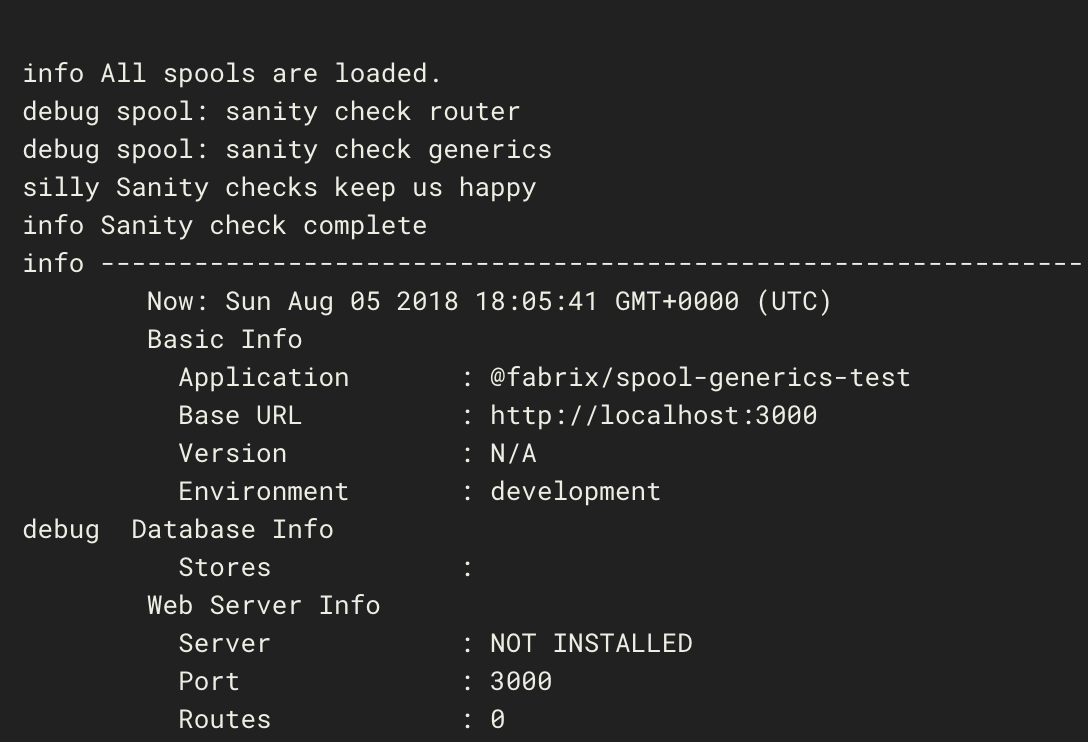
Now, you can test out your new Controller right in the Fabrix console:
Fabrix > get('/first/sayHello')
Fabrix > info: 200
{ message: 'hello world!' }
Congratulations! The response code 200 indicates that the request was successful, and below it is our expected response!
Create a Dynamic REST Handler (Query Parameters)
Typically, the server will send more interesting responses to the client, and base those responses on arguments that the client sends along with the request. Based on the client’s name, we can easily customize the content of the response:
  /**
   * Tell the client "hello"
   */
  sayHello (request, reply) {
    const { name } = request.query

    reply({
      message: `hello ${name}!`
    })
  }
- Request:
GET /first/sayHello?name=fabrix-app - Response:
{
  "message": "hello fabrix-app!"
}
Create a Dynamic REST Handler (Path Parameters)
We can utilize the Route path itself to help us parameterize client requests. For example, instead of telling everyone “hello”, let’s enable the client to specify a custom prefix to the message`. We’ll make a couple simple changes to the Controller and the Route config.
First, we’ll extract the prefix parameter from the path itself:
  /**
   * Tell the client something special!
   */
  sayHello (request, reply) {
    const { name } = request.query
    const { prefix } = request.params

    reply({
      message: `${prefix} ${name}!`
    })
  }
And update the route config to match a prefix path parameter:
// config/routes.ts
export const routes = {
  '/first/sayHello/{prefix}': {
    'GET': {
      handler: 'FirstController.sayHello'
    }
  }
}
Now our request/response looks like this:
- Request:
GET /first/sayHello/howdy?name=fabrix-app - Response:
{
  "message": "howdy fabrix-app!"
}
Pretty cool!
GraphQL
Coming soon.